
This is doctea's experimental 'plugins' branch, including 'shader gadget' plugins.
Started adding some documentation for some of these features on the wiki here:
- https://github.com/langolierz/r_e_c_u_r/wiki/Sound-reactivity
- https://github.com/langolierz/r_e_c_u_r/wiki/using-the-modulation-parameters
- https://github.com/langolierz/r_e_c_u_r/wiki/Plugins
Some quick notes, including about how the modulation features work:-
- Plugins are python classes... With adaptations to recur main code to look up actions in plugins of ActionPlugin class, so plugins can provide extra actions that can be mapped to midi/keyboard/osc
- Here's the really primitive soundreact app: https://github.com/doctea/r_e_c_u_r/blob/feature_midi_feedback_plugin/helpers/soundreact.py
- All it does is send OSC messages based on the volume (the threshold stuff doesn't work and isn't actually activated)
- So then if you look in https://github.com/doctea/r_e_c_u_r/blob/feature_midi_feedback_plugin/json_objects/osc_action_mapping.json you'll see that the "/volume" osc address is bound to the set_modulation_...._value action
- So that way the modulation value is set for 'mod slot 1' to the volume value
- Then when recur is sending paramwter values to the conjur side, it calculates the value to send based on the mod slot level (changed using set_modulation..._level actions mapped in midi APC key25 JSON) and mod slot values
- So you there's 4 modulation parameters and you can assign them, with level, to any of the shader parameters as desired, and feed in params from any source into each mod slot
- At moment there's 3 types of plugin which can also be combined: midifeedback for showing leds etc on controllers that support it like APC Key 25 and Launchpad to indicate recur status, actions for adding new actions, and sequences for running short or looped sequences and adjusting speed etc
- Demo useful plugins are here in this shader gadgets branch, demonstrating shader presets and automation recording
Any questions ask me doctea@gmail.com, find me on facebook or open an issue or something :)
r_e_c_u_r
an open diy video sampler

r_e_c_u_r is an embedded python/openframeworks application on raspberry pi3 that uses input from the keypad to control video while displaying a simple text ui on a rpi lcd screen
in-depth video demo
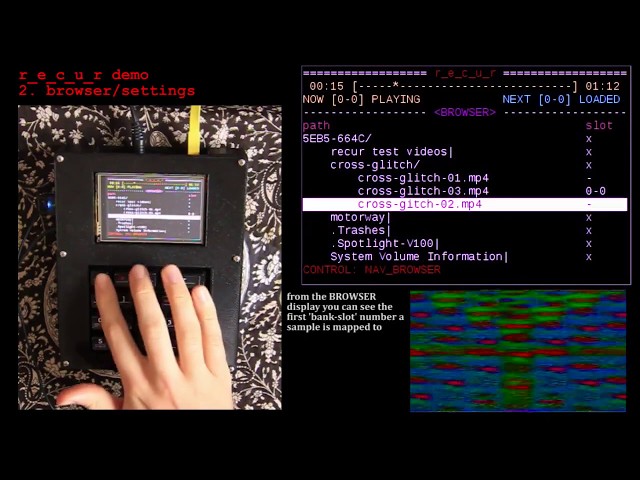
features
- seamlessly loop video through rpi's HDMI or composite out
- intuitively browse video files from external and internal disk and map them into r_e_c_u_r
- load and trigger video samples from numbered slots in the sampler bank
- dynamically set and clear the start/end points of each sample as it plays
- control and sequence all inputs and more with midi-usb
- many sampler modes for varied playback including: repeat, one-shot, gated, random, fixed-length, random-start and more
- exhaustive and extendable settings menu to suit your use
extensions
as of V2.0 the r_e_c_u_r platform has been extended in a number of directions to complement live performance and _recur_ , the original video playing engine:
- _captur_ : input live video via CSI or USB , for live sampling and processing
- _conjur_ : glsl shader engine, map and trigger shader files and control parameters in real time; generate video or process and mix existing sources
- _detour_ : in-memory frame sampling (up to 500 frames), video scrubbing, playback speed and direction control, finger drumming
- toggling internal feedback + strobe effect
NOTE: most of the new V2.0 features are optimised for sd composite video output. Some of these extensions will work over HDMI but they are not fully supported - especially the live video input struggles
extension video walkthroughs
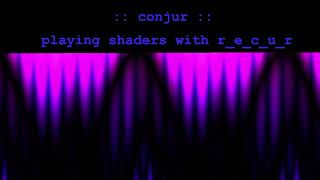
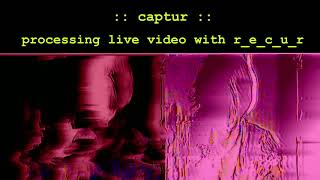
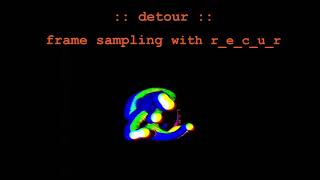
main objectives:
- Affordable : reducing the entry cost to performing with video
- Extendable : laying the foundations (of a user interface and code style) that can be easily iterated on by the community
- Simple : easy to operate (abstracted completely from ‘driving’ a raspi ) , easy to build (no technical computer install-y or circuit-y knowledge required to diy) , easy to develop (human readable code, inviting amateur/first time coders to contribute)
documentation:
- operating - how to use r_e_c_u_r
- building - how to diy r_e_c_u_r
- developing - how to contribute to r_e_c_u_r
many other things documented on the wiki
status
The nature of this project is to be open-ended and community driven. my r_e_c_u_r already solves the problems i initially built it for. what happens next depends on how it is used and received by you. if you like the idea please let me know / get involved !
contact, donation and thanks
also facebook user group : https://www.facebook.com/groups/114465402691215/
all feedback is appreciated. if you want to donate to this project you can do so with the above email via paypal : everything i receive will go into improving r_e_c_u_r. cheers to Leo Browning for the 3d modelling and vector art and to Ben Caldwell for heaps of help with the code!