
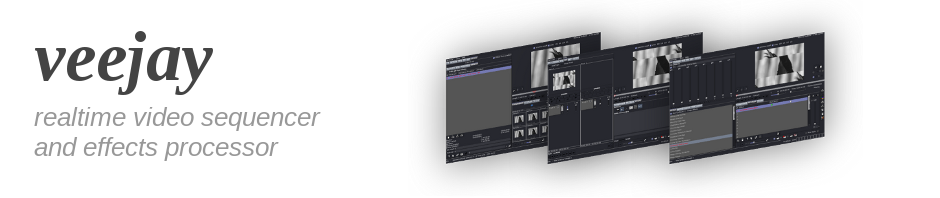
Veejay is a Visual Instrument
a 'visual' instrument and realtime video sampler (for live video improvisation)
It allows you to "play" the video like you would play a piano
While playing, you can record the resulting video directly to disk (video sampling), all effects are realtime and optimized for use on modern processors, Veejay likes the sound of your video's as much as their images: sound is kept in sync ( pitched when needed - trickplay) and delivered to JACK for possible further processing.
You can cluster to allow a number of machines to work together over the network (uncompressed streaming, veejay chaining) And much more...
The engine is historically based upon mjpegtools's lavplay and processes all video in YUV planar It performs at its best, currently with MJPEG AVI (through ffmpeg/libav) or one of veejay's internal formats. Veejay is built upon a servent architecture.
see also : README whatis
Veejay Applications:
- Reloaded A GUI developed in GLADE/GTK (veejay-client)
- sendVIMS A PureData object allowing direct communications with the server (sendVIMS)
- sayVIMS A console based utility for quick'n'dirty scripting (veejay-utils)
And of course Veejay himself ! The video output server (Ffmpeg/libSDL). Could be remote, headless, multiples ... !
Installation
Get all the dependencies
First, make sure you system is up-to-date, and install the dependencies with:
sudo apt-get install git autoconf automake libtool m4 gcc libjpeg62-dev \
libswscale-dev libavutil-dev libavcodec-dev libavformat-dev libx11-dev  \
gtk-3.0-dev libxml2-dev libsdl2-dev libjack0 libjack-dev jackd1
Build the veejay's applications
Veejay is divided into multiple packages. Each must be build separately and in a specific order.
- veejay-server
- reloaded-gtk3 or veejay-client for GTK2
- veejay-utils
- plugin-packs
For each package, run the triptich commands of the GNU build system (for a quick start you can build the first two):
 ./autogen.sh
 ./configure
 make && sudo make install
Nota : in some configuration you should have to manually build the shared libraries cache just after the first veejay-server installation (ex sudo ldconfig or similar)
You do not need to pass any parameters to ./configure for veejay to be optimized with the current cpu-type.
If you want to build for a specific architecture or without sound support (jack) ... take a look to the
./configure --help to adapt to many kinds of systems.
Before running veejay, be sure to add or link some TrueType fonts in
$HOME/.veejay/fonts
Usage
Running veejay is a much too large topic to cover in this readme. Various pointers have been bundled with the sources in veejay/veejay-current/veejay-server/doc
Articles covering various aspects of "how to veejay" can be found on veejayhq.net
But the quick answer would be:
1. Start one or more Veejay servers:
veejay --clip-as-sample my-movie-A.avi
veejay -p 4490 -g my-movie-B.avi
2. Start and autoconnect the veejay graphical interface:
reloaded -a
Building/Configuring plugins
There are several plugin-packs available for veejay: https://github.com/c0ntrol/veejay/tree/master/veejay-current/plugin-packs
- lvdcrop ; a couple of crop filters and a port of frei0r's scale0tilt
- lvdshared ; a couple of plugins that implement a producer/consumer mechanism for shared video resources
- lvdgmic ; GMIC based filters, although slow in processing they are quite amazing
To compile and install a plugin-pack:
cd plugin-packs/lvdgmic
./autogen.sh
./configure && make
Veejay looks in a few common locations to find plugins:
- /usr/local/lib/frei0r-1
- /usr/lib/frei0r-1
- /usr/lib64/frei0r-1
You can list more locations in $HOME/.veejay/plugins.cfg
You can change the default parameter values by editing the files in $HOME/.veejay/frei0r/ and $HOME/.veejay/livido/
Debugging
if you want to debug veejay-server (or if you want to submit a meaningful backtrace), build with:
./configure --enable-debug
see also : How to debug
Quick Start & Play!
Let's VJing Now...
Veejay Quick start and play! : start veejay, manually send VIMS messages, tricks to video fifo or some essentials of keyboards user interaction...
FEATURE OVERVIEW
General
- Free Software (GNU GPL)
- Servent architecture
- Soft realtime
- Frame accurate
- Loop based editing
- Native YUV processing
- Crash recovery
see also : YUV processing, README Memory, README Performance
Media
- Codecs: MJPEG, MPNG, DV, YUV (raw)
- Containers: AVI, Quicktime, rawDV
- Devices: USB webcams, DV1394, TV capture cards, etc.
- Support for unlimited capture devices
- Support for Image files (PNG ,JPEG, TIFF, etc)
see also : README Video & Codecs, README audio
Editing
- 161 built-in FX, many unique and original FX filters
- 60 Livido filters
- FX chain (20 slots) with Alpha Channels
- All FX parameters can be animated
- Mix up to two layers per FX slot
- Non destructive edit decision lists (cut/copy/paste/crop video)
- Sample editor
- Sequence editor
- Live disk recorder (sampling)
- Full deck save/restore
- Live clip loading
- Live sample sequencing
see also : How to PluginsREADME alpha
Trickplay
- VIMS event recording/playback
- Various looping modes including bounce looping
- Playback speed and direction
- Video scratching
- Change in-and out points of a sample (marker)
- Slow motion audio / video
- Fast motion audio / video
- Dynamic framerate
- Random frame play
- Random sample play
- Access up to 4096 video samples instantly
Output
- Audio trough Jack (low latency audio server)
- SDL video
- Headless (no video output)
- YUV4MPEG streaming
- V4L2 loopback devices
- Network streaming (unicast and multicast)
- Preview rendering
- Image grabbing
see also : How to Network
Interaction
- Programmable keyboard interface
- VIMS (tcp/ip)
- OSC (udp)
- PureData trough sendVIMS external
- MIDI
see also : How to PureData
Viewing
- Full screen or windowed mode
- Perspective and foward projection
- Twinview/BigDesktop
- Split-screen video wall
see also : How to video wall
Plugins and more...
- Support for Frei0r plugins
- Support for LiVIDO plugins
- Support for FreeFrame plugins (only for 32 bit systems!)
- Support for GMIC plugins
see also : How to Plugins, README odroid-xu3
Contact / Feedback & HELP
Please join our mailing list on http://groups.google.com/group/veejay-discussion
Bug Reporting
Please use the ticket system on https://github.com/c0ntrol/veejay/issues or simply write a mail to the veejay-discussion group!
ENJOY! And let us know about your performances/installations with veejay!
                 _             _                            _
                (_)           | |                          | |
 __   _____  ___ _  __ _ _   _| |__   __ _       _ __   ___| |_
 \ \ / / _ \/ _ | |/ _` | | | | '_ \ / _` |     | '_ \ / _ | __|
  \ V |  __|  __| | (_| | |_| | | | | (_| |  _  | | | |  __| |_
   \_/ \___|\___| |\__,_|\__, |_| |_|\__, | (_) |_| |_|\___|\__|
               _/ |       __/ |         | |
              |__/       |___/          |_|                                      http://veejayhq.net